An online store for home stagers
Sell the pieces you're done staging, from your own shop.
Every staging warehouse has furniture that's had its run: a sofa that's been in a dozen listings, a set you've replaced, the odd piece that never fits. StageEngine gives your studio its own online shop, listed straight from your inventory, with one link you can put in your bio or text to a buyer.
Try it free for 14 daysNo credit card.

Why selling on Marketplace wears you out
Listing retired pieces one by one on Facebook Marketplace or Craigslist works, but it's a second job. Every piece is photographed and described again. Every "is this still available?" is a message to answer. Buyers don't show up, and you're never quite sure a piece isn't already promised to a job next week.
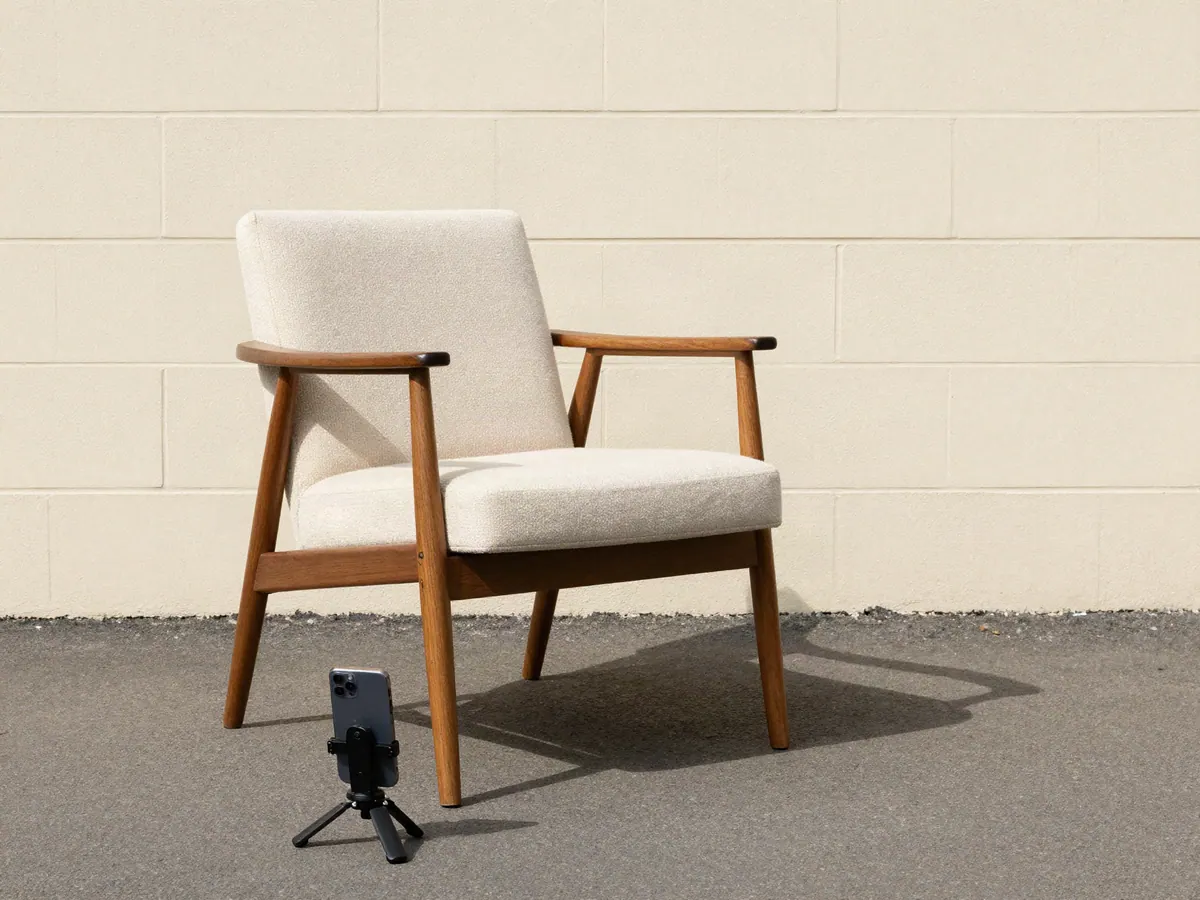
The information you need is already in your inventory: the photo, the size, the condition, what you paid, and whether it's in the warehouse or out in a house. Your shop should come from there.
How the shop works
Listed from your inventory
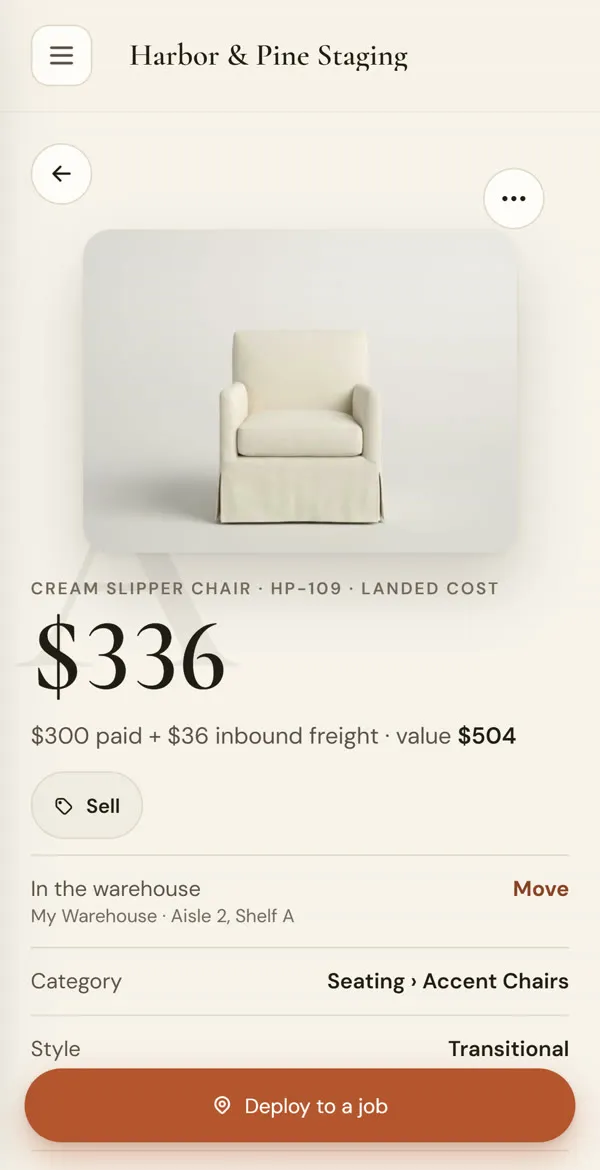
Switch on Sell for a piece, or for a batch at once, and set the price. The photo and details come from the piece you already have.
One link to share
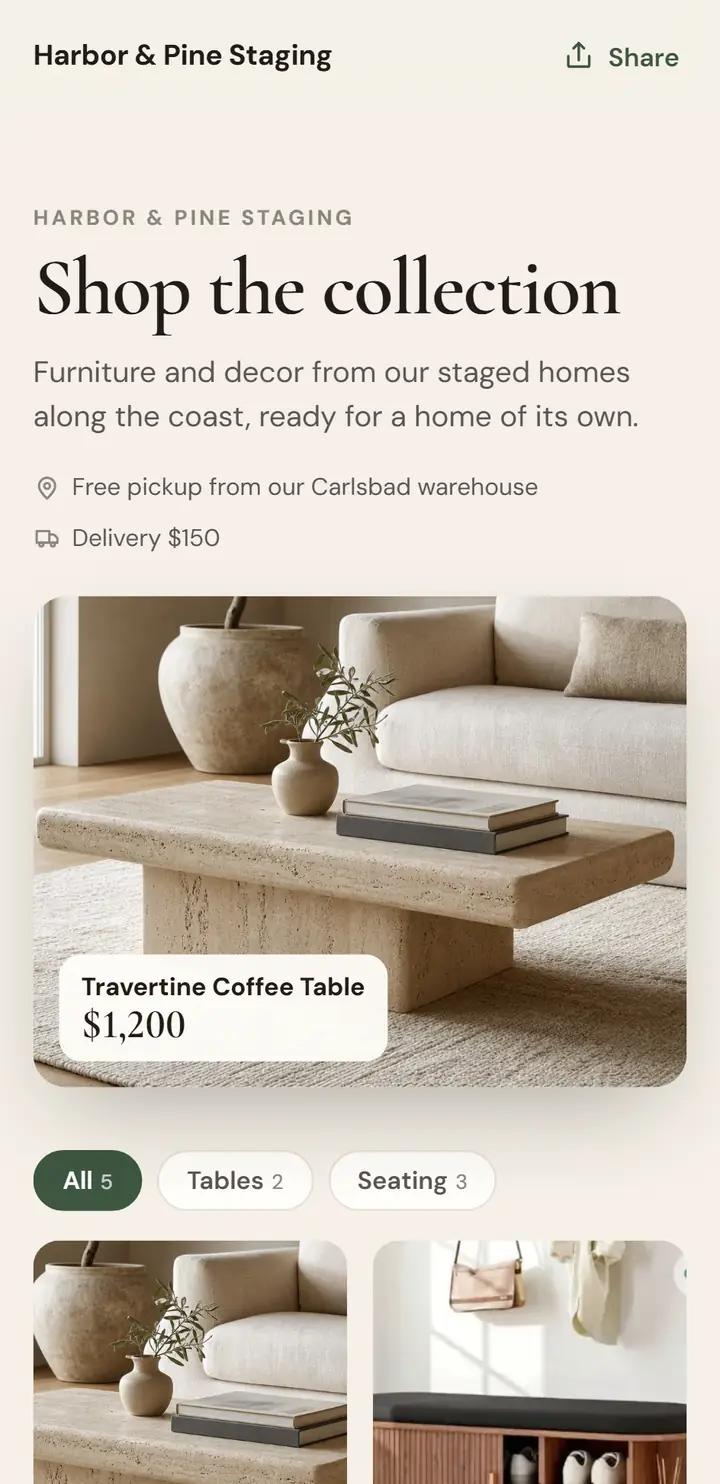
Your shop has its own page with your studio's name. Put it in your Instagram bio, your email signature or a text to a buyer.
Pay now or request first
Per piece, choose whether buyers can check out right away or have to ask you first. You accept or decline each request.
Pickup or delivery
Pickup is free, with your own note about where and when. If you deliver, add one flat delivery fee. Your sales tax is added for you.
Nothing sells out from under a job
This is the part a generic store can't do. Because the shop reads your live inventory, it knows where every piece is. A piece in the warehouse can be bought. A piece staged in a house, or committed to an upcoming job, shows "Available after" its de-stage date and can only be requested. It's never marked sold while it's in a client's living room.
When a buyer starts checking out, the piece is held for them, so two people can't pay for the same sofa. If they walk away, the hold lets go. A paid order marks the piece sold in your inventory and emails you, so your warehouse count is right without you touching it.
Payments go to you
With online payments on, buyers pay on a checkout page with your studio's name, and the money goes straight to your own Stripe account. StageEngine never holds it.
- Not taking online payments yet? Buyers send a request and get your invoice by email
- Accepted requests get an invoice with a pay link, and the piece is reserved for them
- Mark up or discount a batch of prices in one go from the price sheet
- Your public contact email on the shop, not your sign-in email
Turn old stock into the next piece
Selling retired furniture is how a staging warehouse stays fresh: the money from last year's sofa helps buy this year's. When selling takes a few taps instead of an afternoon of listings, you actually do it, and the pieces stop taking up shelf space.
The shop is one part of the same app that runs your inventory, your jobs and your invoicing, so a sale is just another invoice on the books, and it lands in QuickBooks with everything else if you use it.
Questions stagers ask
Can a buyer purchase a piece that's staged in a house right now?
Not outright. A piece that's on a job shows "Available after" the de-stage date and can only be requested, so nothing is ever marked sold while it's standing in a client's living room.
How do buyers pay?
With online payments on, a buyer can pay right away on a checkout page with your name on it, or request the piece first if you set it that way. Without online payments, buyers send a request and you email them an invoice.
Can two people buy the same piece?
No. When a buyer starts checking out, the piece is held for them, and an abandoned checkout releases it again.
Do I have to offer delivery?
No. Buyers can pick up for free, and you can add one flat delivery fee if you deliver. Add your own pickup note, like where and when.
Do I re-enter every piece?
No. The shop lists pieces straight from your inventory, with the photos and details you already have. Switch on Sell for a piece, or for many at once, and set the price.
Open your shop this week.
Start a free trial, bring in your inventory, and switch on Sell for the pieces you're ready to let go.
Start your free trial