Invoicing software for home stagers
Every job billed on time, without chasing a single balance.
Staging money doesn't arrive in one invoice. There's a deposit when the contract is signed, a balance on install day, and another month every time a house sits. StageEngine sends each one on its own date, in your studio's name, with a link your client can pay by card.
Try it free for 14 daysNo credit card. Two minutes to set up.
Why generic invoicing tools fall short for staging
Most invoicing apps assume one job, one bill. Staging is a series of them: the deposit, the install, the extra rooms, the freight, and the holdover months nobody planned for when the listing sits. Each one has to be remembered, typed, sent and followed up.
When the invoice lives somewhere separate from the job, the details drift. The fee on the contract and the fee on the invoice stop matching, and a month of holdover quietly never gets billed.
How billing works in StageEngine
Invoices from the job
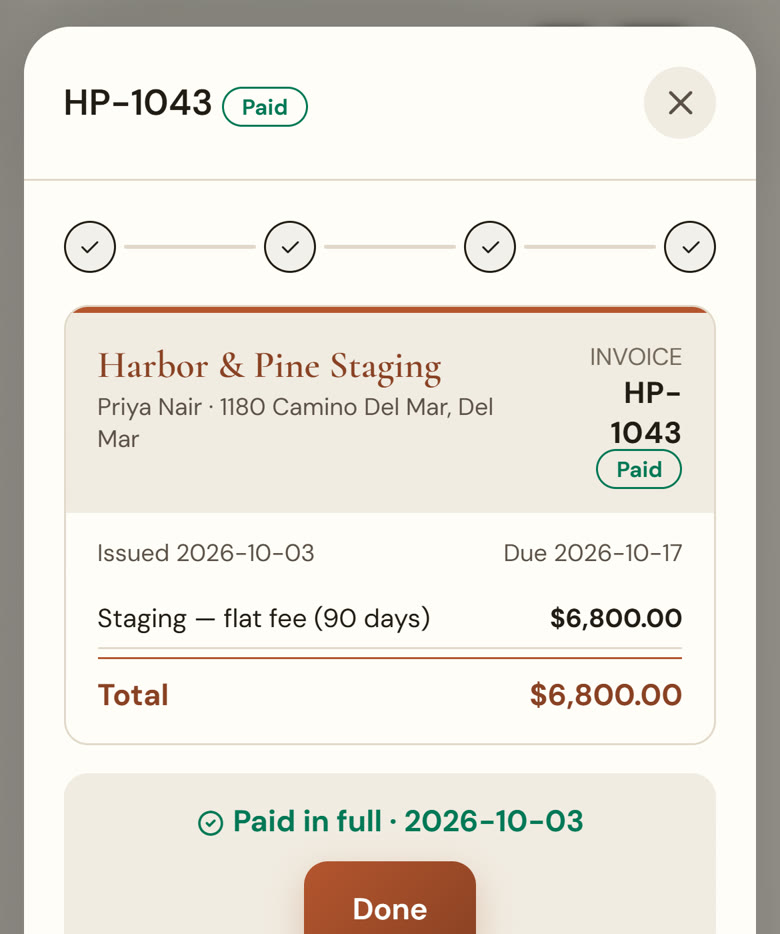
The staging fee, setup, removal and extras come straight from the job you already entered. Edit any line before it goes.
Paid online by card
Every invoice carries a pay link to a page with your logo and the full invoice. Clients pay without creating an account.
Sent on the right day
Schedule an invoice for install day or closing and it goes out on its own, so the balance doesn't wait for you to remember.
Monthly holdovers
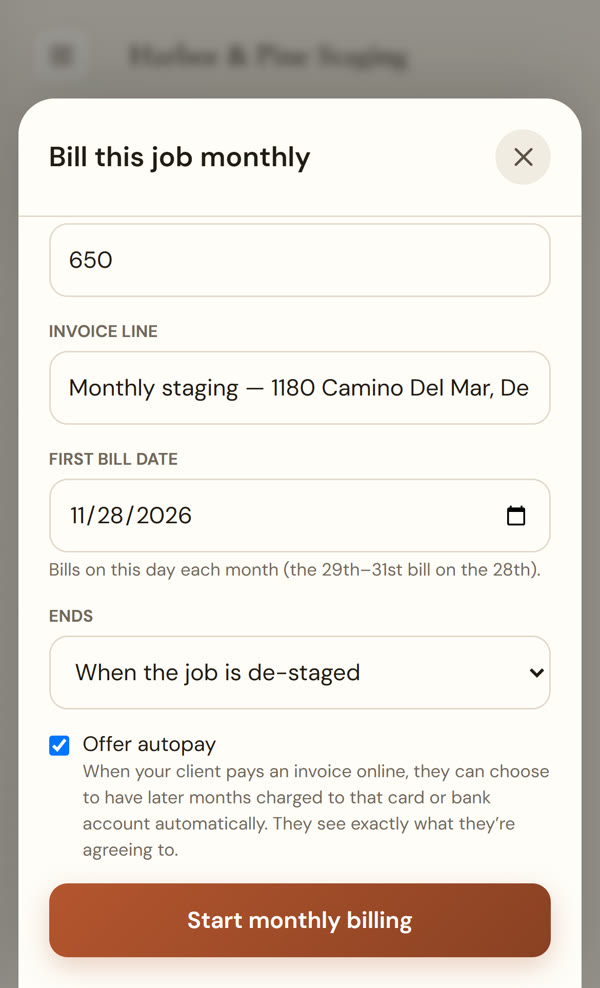
If the house sits, set the job to bill monthly. Each month's invoice is created and sent on the bill date, and clients can choose to pay future months automatically.
Know what's owed at a glance
Every payment due in the next 30 days sits in one list. Partial payments, checks and cash are recorded against the invoice, and the balance updates.
- Card payments land in your own Stripe account; StageEngine never holds your money
- Stripe's standard processing rates, plus a 0.5% StageEngine fee on online payments
- Optionally pass the card fee to clients who pay by credit card (never on debit)
- Add your usual freight charge to every invoice automatically, or only when you choose
- Clients, invoices, payments and job expenses pushed to QuickBooks Online every hour
One record from quote to paid
The job holds everything: the proposal your client accepted, the contract they signed, the furniture on site from your inventory, and every invoice and payment against it. When a client calls about a bill, the whole story is on one screen.
Questions stagers ask
Do my clients need an account to pay?
No. Each invoice has a pay link. Your client opens it, sees the invoice with your logo, and pays by card. No sign-up.
Where does the money go?
Straight to your own Stripe account, which you connect in a few minutes. StageEngine never holds your money.
Does it work with QuickBooks?
Yes. Connect QuickBooks Online and StageEngine pushes your clients, invoices, payments and job expenses to it every hour. It's a one-way push from StageEngine to QuickBooks.
What does it cost to take card payments?
Card payments run through your own Stripe account at Stripe’s standard processing rates, plus a 0.5% StageEngine platform fee on payments made online. Both show in your Stripe dashboard, and you can choose to pass the card fee to clients who pay by credit card. Checks and cash you record yourself carry no fee.
Can I still take checks and cash?
Yes. Record a check, cash or any other payment against the invoice, including partial payments, and the balance updates.
What does it cost?
Every plan starts with a 14-day free trial and no credit card. See pricing for the plans after that.
Send your next invoice from StageEngine.
Start a free trial, add one job, and send the deposit invoice with a pay link in a few minutes.
Start your free trial