Home staging contracts & e-signature
The contract writes itself from the job.
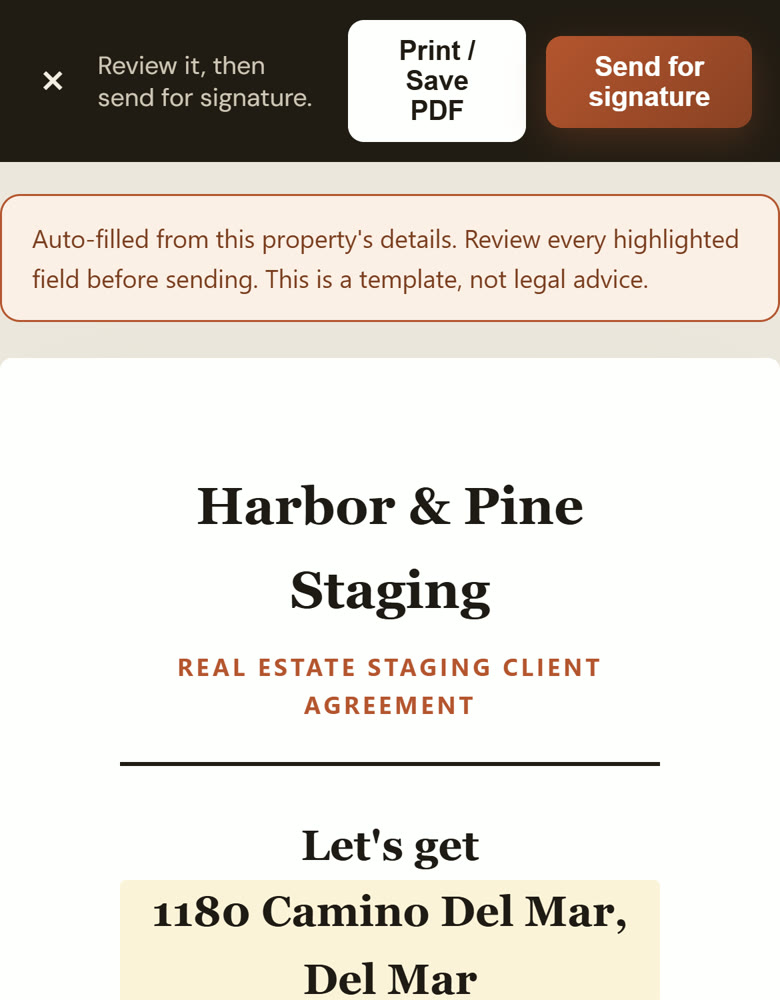
Every StageEngine contract starts from the job you already entered, so the address, dates, fee and furniture list are right the first time. Send it, and your client signs on their phone in a couple of minutes.
Try it free for 14 daysNo credit card. Two minutes to set up.
Why staging contracts go wrong
Most stagers keep a contract template in a document, copy it for each job, and retype the address, dates, fee and term. Then they export a PDF and upload it to a separate signing service. Every copy is a chance to leave last job's address in, miss a room, or quote the wrong term.
The furniture list is the part that matters most when something goes missing or comes back damaged, and it's the part that's hardest to keep accurate by hand.
How contracts work in StageEngine
Filled in from the job
Client, property address, install date, term and fee come from the job. Edit the scope of work before you send.
The furniture list attached
The pieces on the job become an exhibit on the contract, so everyone agrees on exactly what went into the house.
Signed on their phone
Your client opens the link, agrees to sign electronically, and signs by drawing or typing. No account, no app to download.
Sealed for both of you
The signed PDF is sealed so it can't be changed, with an audit certificate, and sent to you and your client.
From proposal to signed in one sitting
Price the job from your pieces, rooms, months and rates, send a proposal your client can accept online, and turn it into the contract. You sign first, then it goes to your client.
- Send by email in your studio's name, by text from your phone, or by copying the link
- See when your client opened it, and when they signed
- The signing page sits on your studio's own web address, with your logo
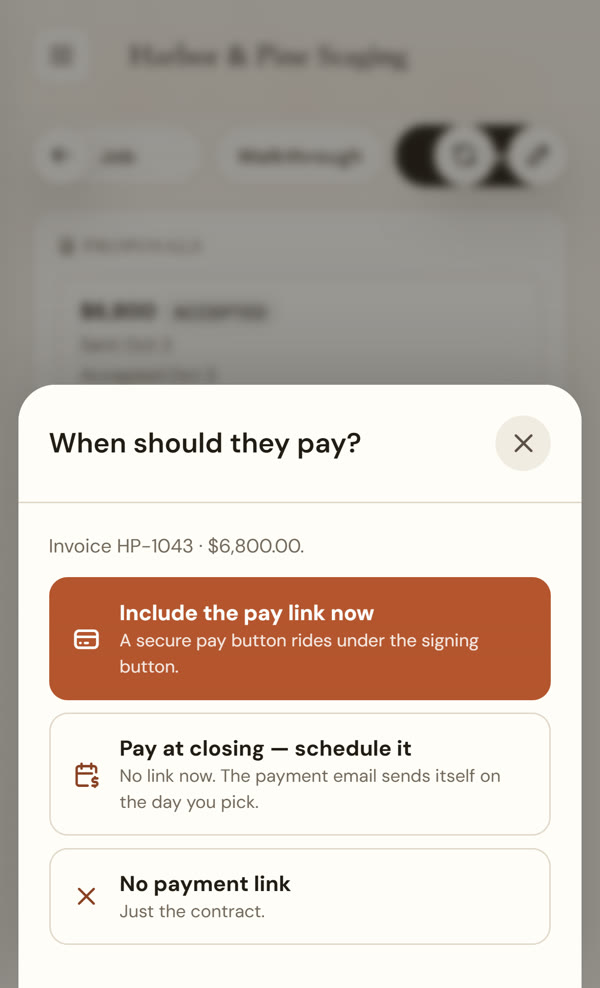
- Add a pay link for the deposit so the job is signed and paid together
Part of the same job, start to finish
Once it's signed, the deposit and balance invoices come from the same job (see invoicing for home stagers), and the furniture on the contract is tracked in your inventory until it's back on the shelf.
StageEngine isn't a law firm. Have your attorney review the terms you use with your clients.
Questions stagers ask
Do I need a separate e-signature service?
No. E-signature is built in. Your client opens a link, reviews the contract, agrees to sign electronically, and signs by drawing or typing their name.
Can I use my own contract wording?
Yes. You can edit the scope of work and your terms. StageEngine fills in the job details; the wording of your agreement is yours.
What do my client and I get after signing?
Both of you get the signed PDF, sealed so it can't be changed afterwards, with an audit certificate showing when it was sent, opened, agreed to and signed.
How do I send it?
By email from StageEngine in your studio's name, by text from your own phone, or by copying the link into any message.
What does it cost?
Every plan starts with a 14-day free trial and no credit card. See pricing for the plans after that.
Send your next contract from StageEngine.
Start a free trial, add a job, and send a contract for signature with the details already filled in.
Start your free trial