Home staging inventory software
Know what's free before you say yes to the next job.
StageEngine tracks every piece of furniture you own, from the warehouse shelf to the house and back. When a job comes in for Thursday, you can see what's on the shelf, what's out, and when it comes back, before you answer.
Try it free for 14 daysNo credit card. Two minutes to set up.
Why stagers outgrow the spreadsheet
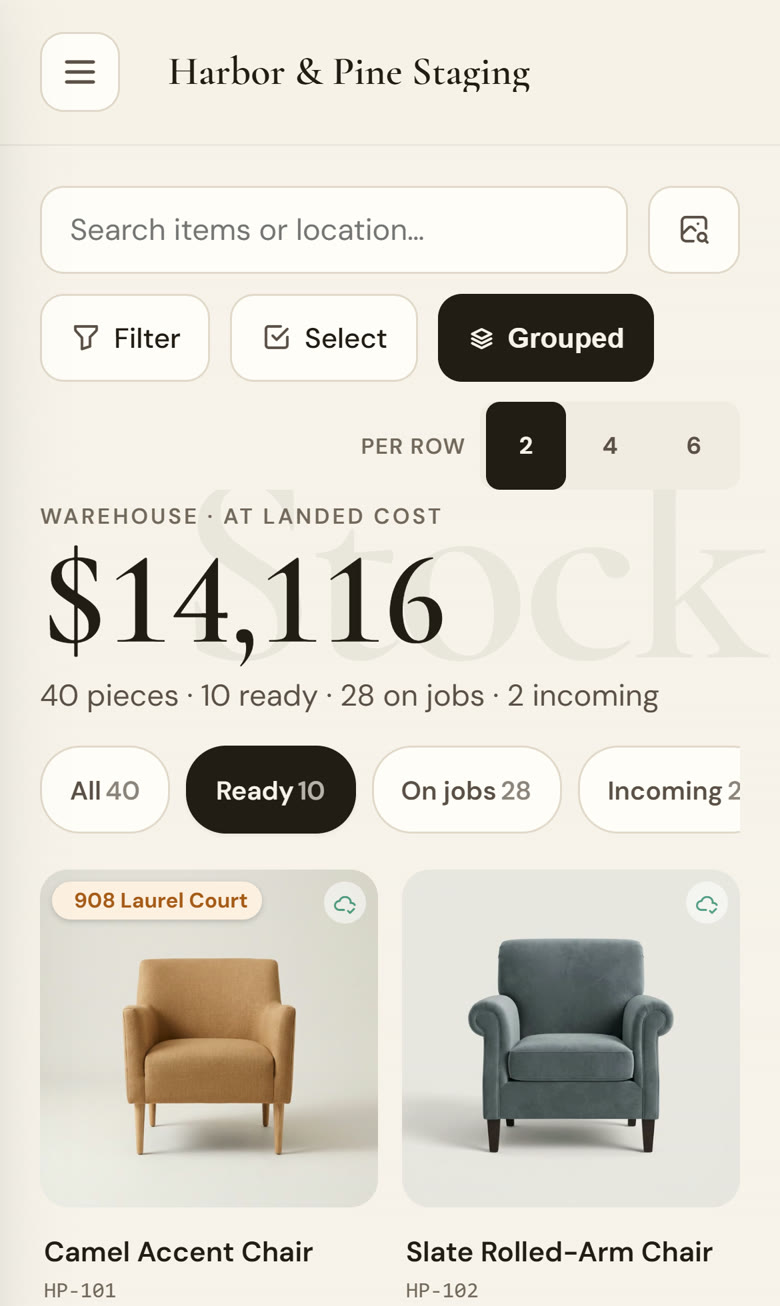
A staging business runs on furniture that's always moving. A sofa goes out to a listing on Monday, a side table comes back from a de-stage on Wednesday, and a new job wants both on Friday. A spreadsheet only knows what someone remembered to type.
The cost isn't only time. Furniture sitting idle in the warehouse is money you've already spent that isn't earning, and every piece you can't find is one you buy twice. The faster pieces come back and go out again, the more jobs the same inventory can carry.
What StageEngine keeps track of
Every piece, with a photo
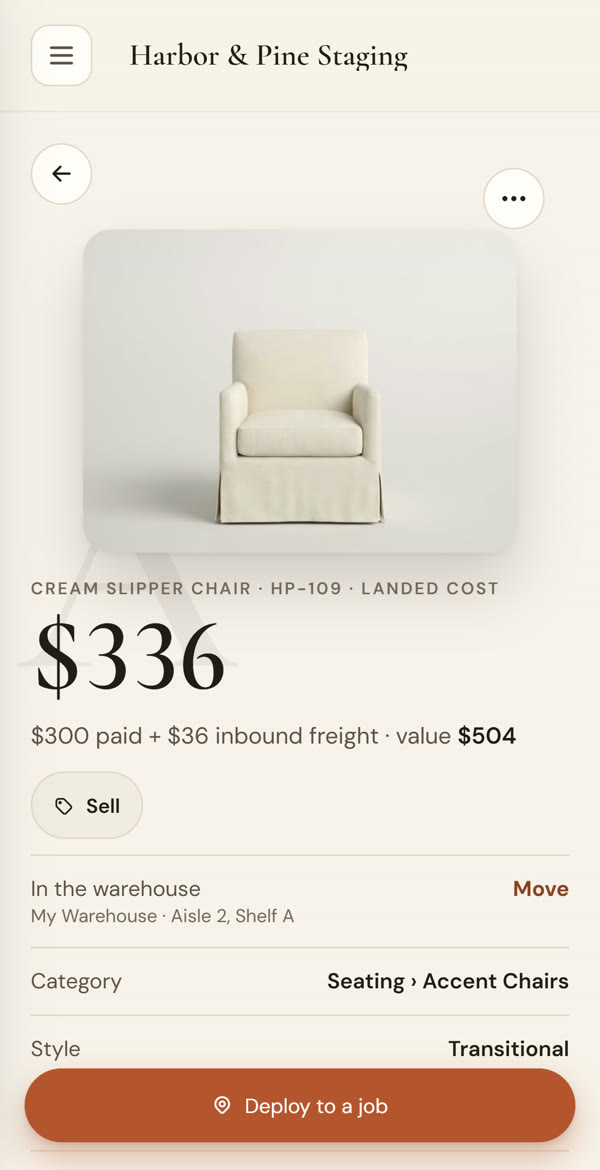
Photograph a piece and it fills in the name and details, up to fifty at a time. Each one gets a QR tag you can print and stick on.
Where it is right now
In which warehouse and which spot, or out on which job. Search for it and see it in seconds.
What it cost you
Purchase price, lot cost split across a batch, and freight, so you know what each piece is worth to your business.
What's free on a date
See what's available for an install date, what's out on jobs, and which pieces are due back, before you quote.
Out the door and back on the shelf
Assign pieces to the job, then scan each one as it leaves. On de-stage day the list comes with you, and every piece checks back into stock.
- Scan with your phone camera, or use a USB or Bluetooth scan gun
- Pieces move to the job when they're scanned out, and back to the warehouse when they return
- See at a glance what's still out and on which listing
- Hand the warehouse work to an assistant without handing over your numbers
Inventory that connects to the rest of the job
The same pieces flow into the rest of your work. The furniture on a job becomes the list attached to your staging contract, the job's fee becomes the invoice, and the rooms you design are built from furniture you actually own. Nothing gets typed twice.
See how the money side works in invoicing for home stagers, or how contracts are written in contracts and e-signature.
“Since using it, I finally feel like I'm getting my inventory and organization under control… Stage Engine is helping me spend less time searching, guessing and trying to remember where everything is — and more time actually running and growing my business.”
Lindsey Anderson · RUEcovery Staging, Vista, CA · from her review on the StageEngine Facebook page
Questions stagers ask
Do I need a barcode scanner?
No. Your phone camera scans the QR tags. If you already own a USB or Bluetooth scanner, StageEngine has a scan-gun mode for it too.
Can I bring in my existing inventory spreadsheet?
Yes. Send your spreadsheet or your old app's export and we load it for you, or photograph pieces yourself and StageEngine fills in the name and details.
Does it work from my phone?
Yes. StageEngine runs in the browser on any phone, tablet or computer, and you can add it to your phone's home screen so it opens like an app.
Can my assistants use it?
Yes. Each person gets their own sign-in, and you choose what they can see. Your numbers stay private unless you share them.
What does it cost?
Every plan starts with a 14-day free trial and no credit card. See pricing for the plans after that.
See your own inventory in it this week.
Start a free trial, photograph a few pieces, and check what's free for your next install date.
Start your free trial