AI room staging from your inventory
AI staging with the furniture you actually own.
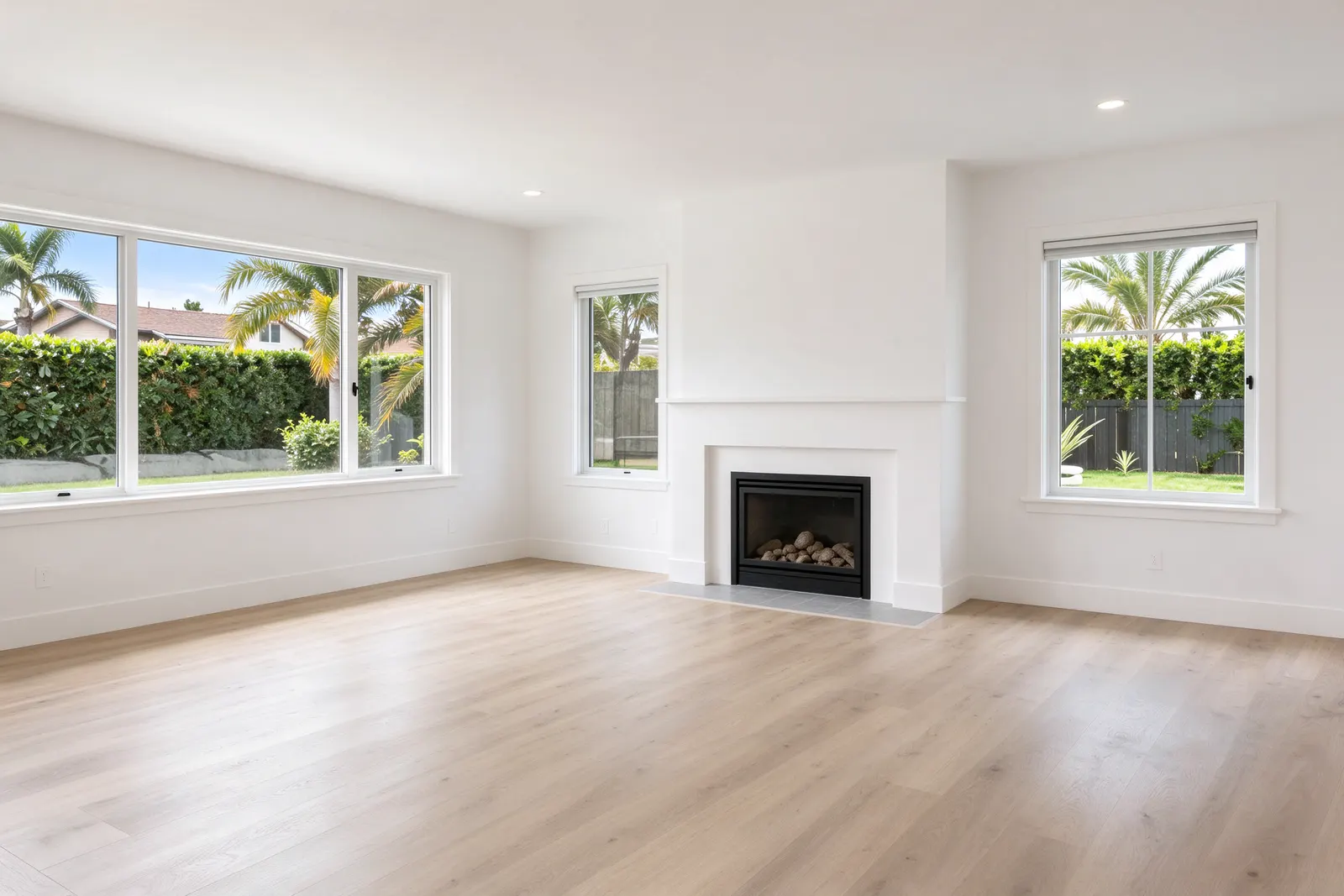
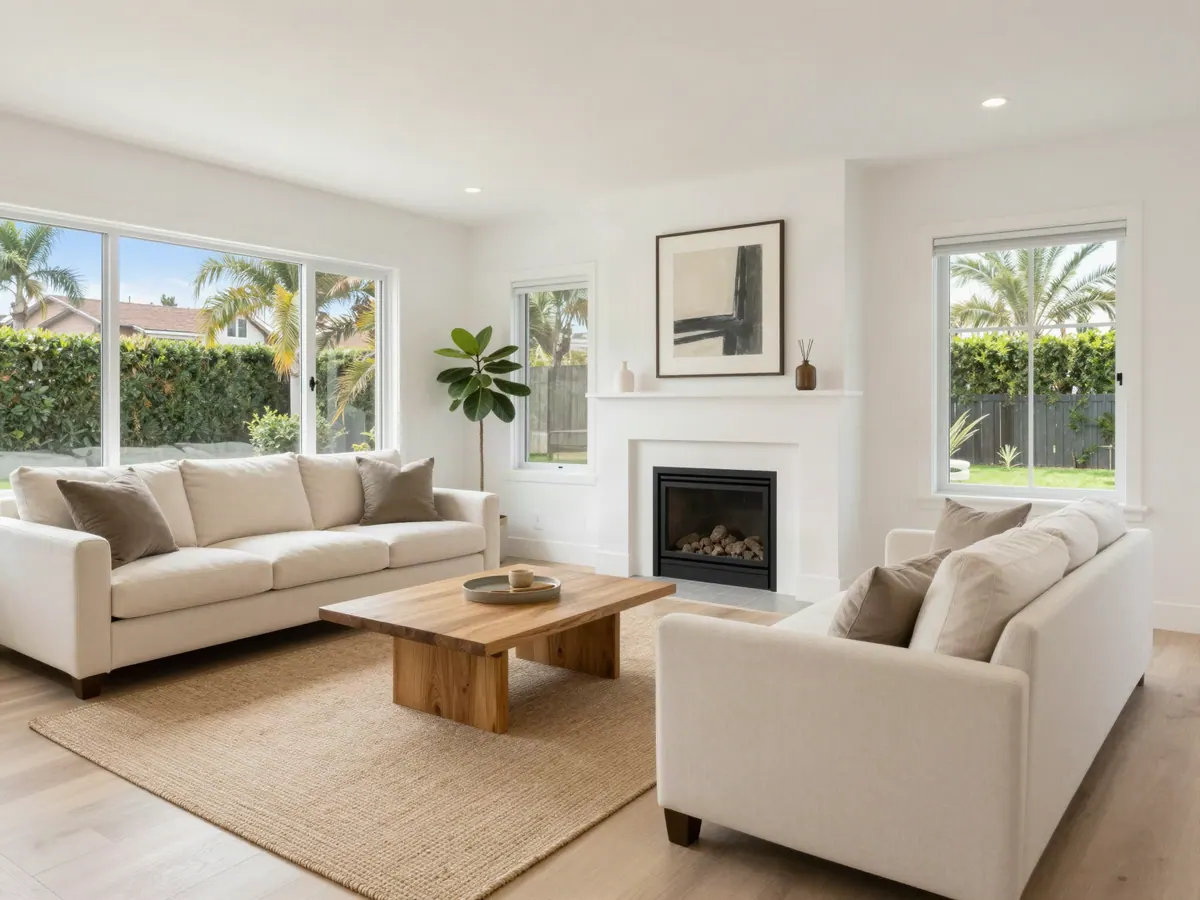
Photograph an empty room. StageEngine designs it with pieces from your own warehouse that are free for that job, then shows your client a picture of the room with your furniture in it. What they say yes to is what your crew can pull and install.
Try it free for 14 daysNo credit card. Works with the inventory you already have.
The problem with ordinary virtual staging
Most AI staging tools are built for listing photos. They fill a room with furniture that looks good and doesn't exist. That's fine for a picture online, but it's a problem for a stager: your client falls for a sofa you don't own, and then the house you install looks nothing like the picture they approved.
If you own your furniture, the useful question isn't "what would look nice in here?" It's "what would look nice in here from what I have, and what isn't already out on another job?" That's the question StageEngine's AI answers.
How it works
Photograph the rooms
Add photos of the empty rooms to the job. The AI reads each one: the room type, the space and what would fit.
It plans from what's free
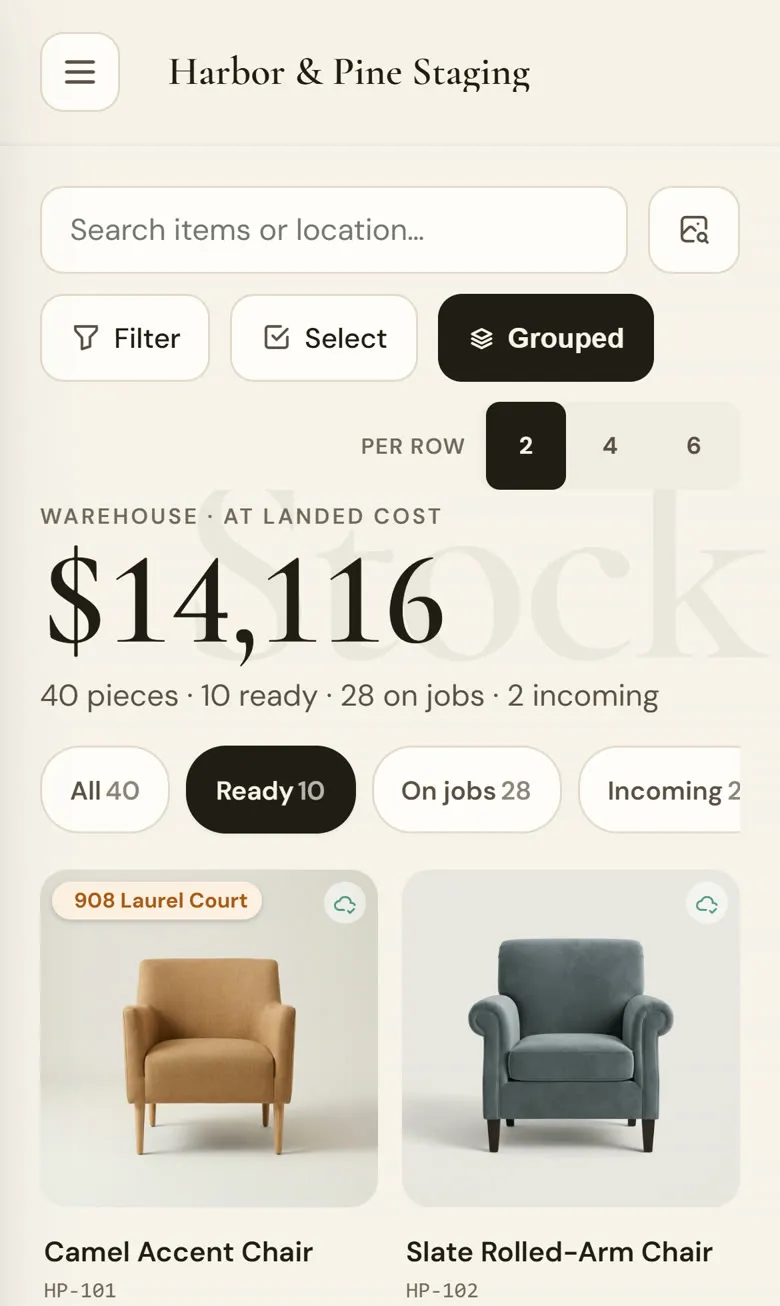
The plan picks from pieces in your warehouse that aren't committed to another job. Own six of a barstool? It can ask for four, never more than you have.
It renders your pieces
Photos of the planned pieces go along with the room photo, so the picture shows your sofa and your rug, not a lookalike.
Approve, then pull
Approve the room and its pieces are claimed for that job and land on the pull list, so the warehouse and the picture agree.
Your furniture first, concept pieces only when you ask
The standard design uses only what you own. Sometimes a room needs one more piece you don't have, or you want to show a client the idea before you buy. For that there's a separate "fill the gaps" option: your pieces stay exactly where they are, and concept furniture fills the empty space. It's always your call, and it's never the default.
If a room isn't right, say what to change, like "move the sofa to the left wall" or "swap the rug for something lighter." The edit starts from the last picture, so the parts your client already liked stay put.
Labeled as AI, every time
Digitally altered listing photos have to say so, and an agent who posts one without a label is the one who hears about it. Every render that leaves StageEngine carries a "Virtually staged · AI concept" mark, and the captions say who staged it.
- Renders are marked as AI concepts wherever they leave the app
- The real empty-room photo is labeled "Before", so nobody mistakes one for the other
- Your studio's name on the caption, not ours
Why this matters for a staging business
The picture sells the job. When the picture is built from your inventory, three things get easier at once. The client approves something you can deliver. Your crew pulls from a list that already matches the design. And you stop buying a piece for one house because a mock-up promised something you didn't have.
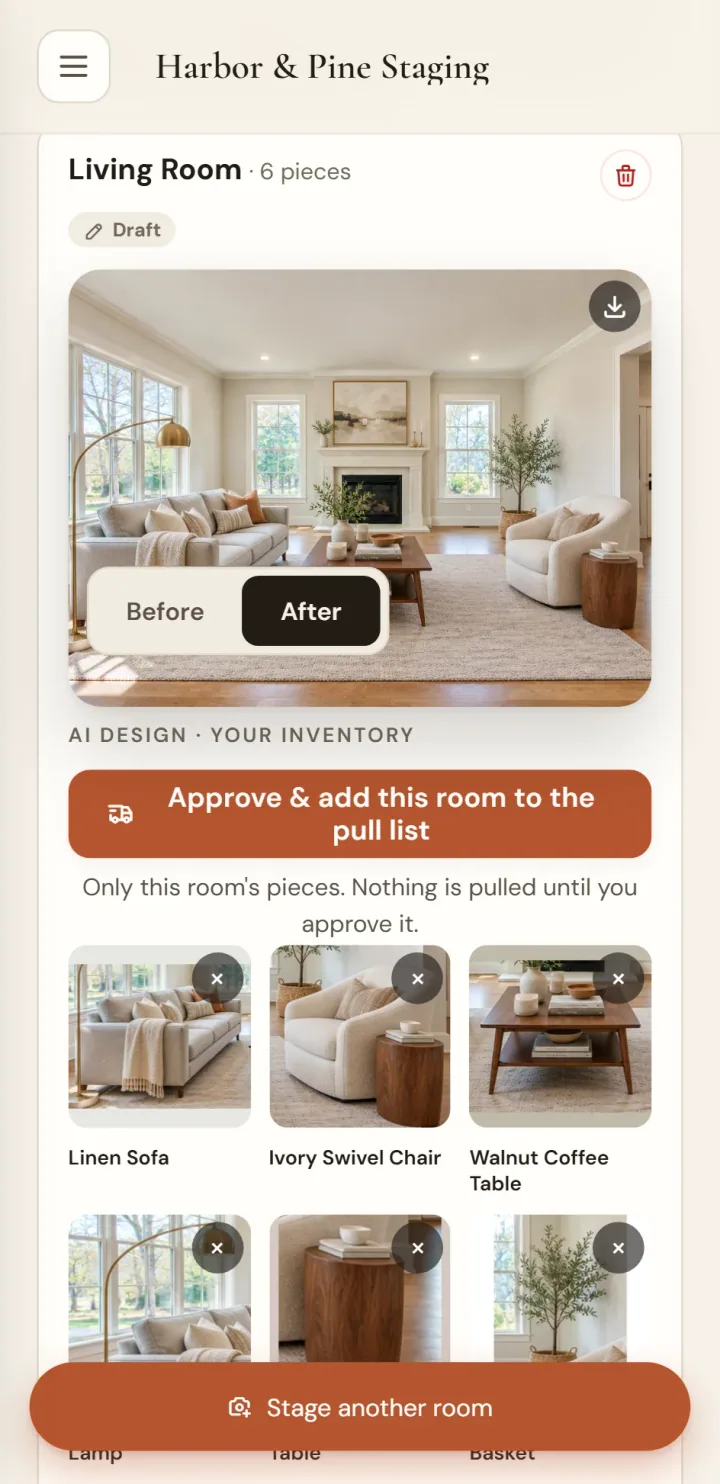
It also helps on the phone. When an agent asks what a vacant listing could look like, you can show them a room furnished from your own warehouse instead of describing it.
The AI is only as good as your inventory photos, so it's worth getting those right. Every piece in StageEngine's inventory has its own photo, tag and location, and that's what the designer draws from.
Questions stagers ask
Does the AI invent furniture I don't own?
Not by default. The standard design uses only pieces from your inventory that are free for that job. If you want to fill an empty corner with concept furniture, that's a separate option you turn on, and those pieces are clearly concept pieces, not your stock.
Will the picture show my actual sofa?
It works from your own inventory photos. StageEngine sends photos of the pieces in the plan along with the room photo, so the render is built from your sofa, not a lookalike. The better your inventory photos, the closer the match.
Are the images labeled as AI?
Yes. Every render that leaves the app is marked as virtually staged and an AI concept, so you, your client and the listing agent stay on the right side of disclosure rules for digitally altered listing photos.
Can it double-book a piece that's on another job?
No. The design only picks from pieces that are free: in the warehouse and not already committed to another job. If you own four of a chair, it can ask for four, and never more than you have.
Can I change the design?
Yes. Tell it what to change, like move the sofa left or swap the rug, and it edits the last version instead of starting over, so what you already liked stays.
Design your next room from your own warehouse.
Start a free trial, add your pieces with photos, and photograph one empty room.
Start your free trial