
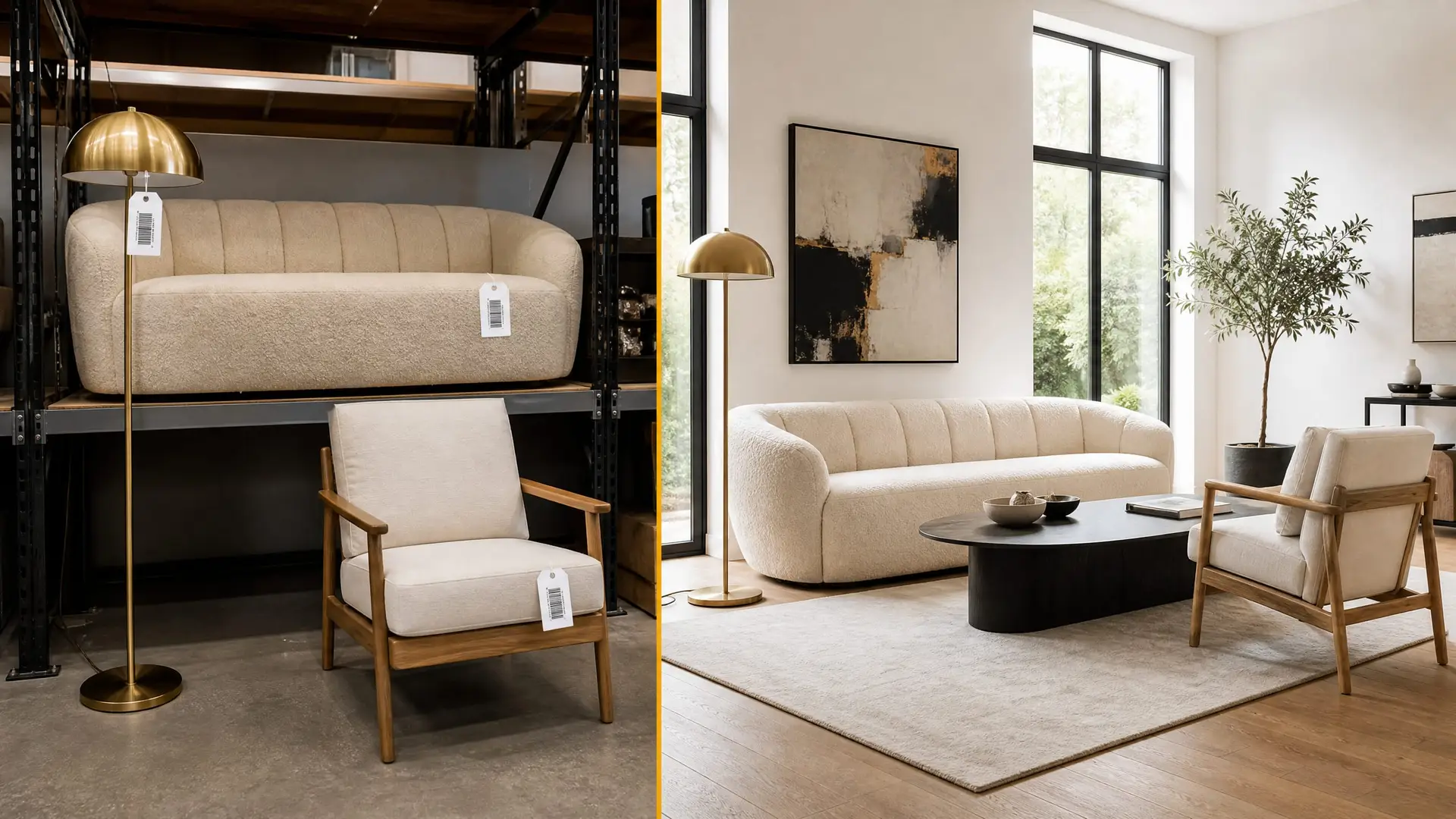
Room Designer
Design from your inventory.
Not the internet.
Upload a room photo. Pick a style. StageEngine renders it using furniture you actually own — not stock images from a library you'll never have access to.
Try the engine free — 14 days, no cardEvery other rendering tool shows furniture you don't own.
You send the client a beautiful render. They love it. Then you show up with completely different pieces because nothing in the render was actually in your warehouse. StageEngine's Room Designer only renders what you have.
How it works
Four steps. Real furniture. Real renders.
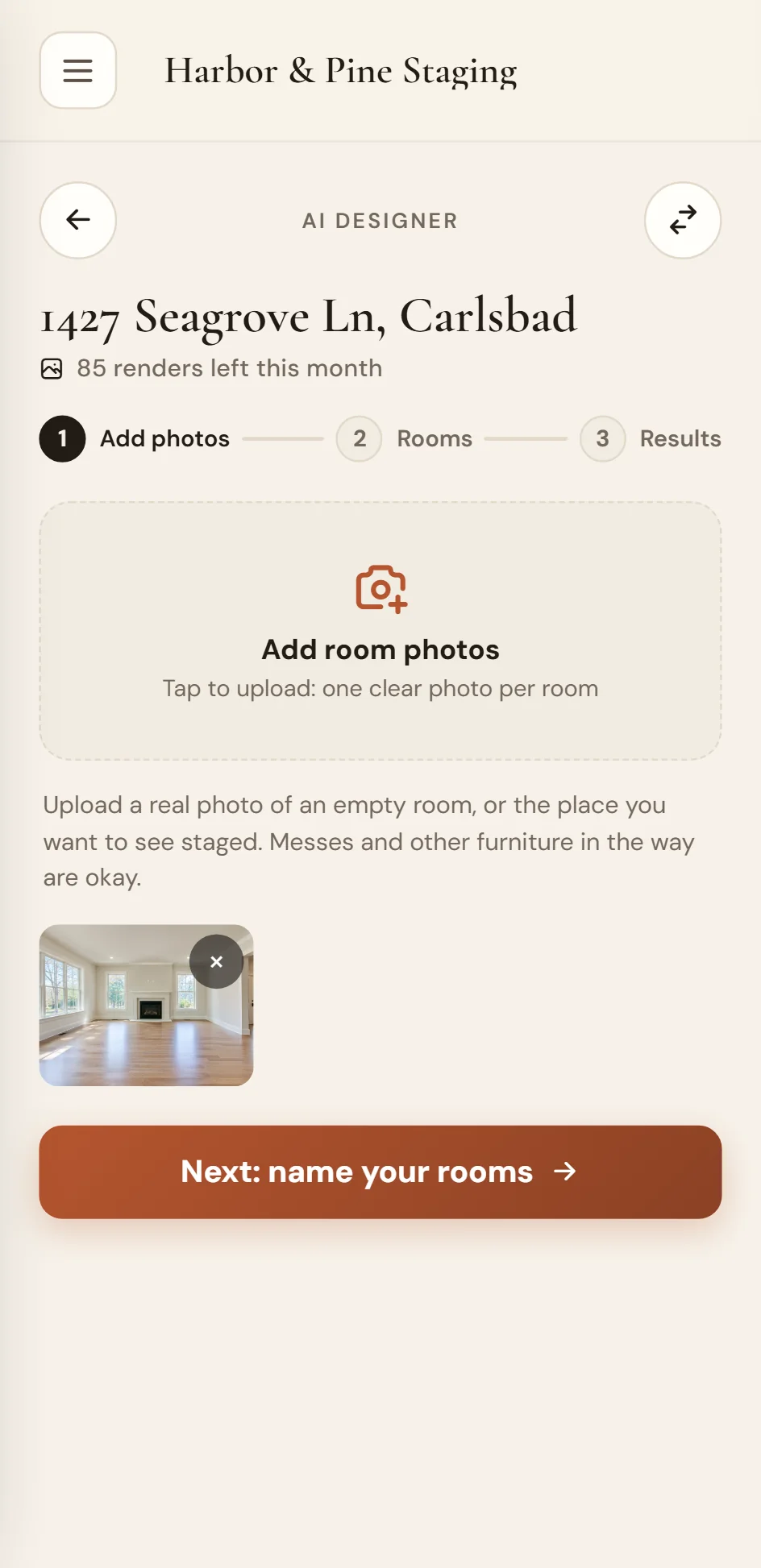
Add your room photos
Snap the empty rooms on your phone or pull them from your camera roll. The Room Designer accepts any angle, any lighting. No professional photography required.
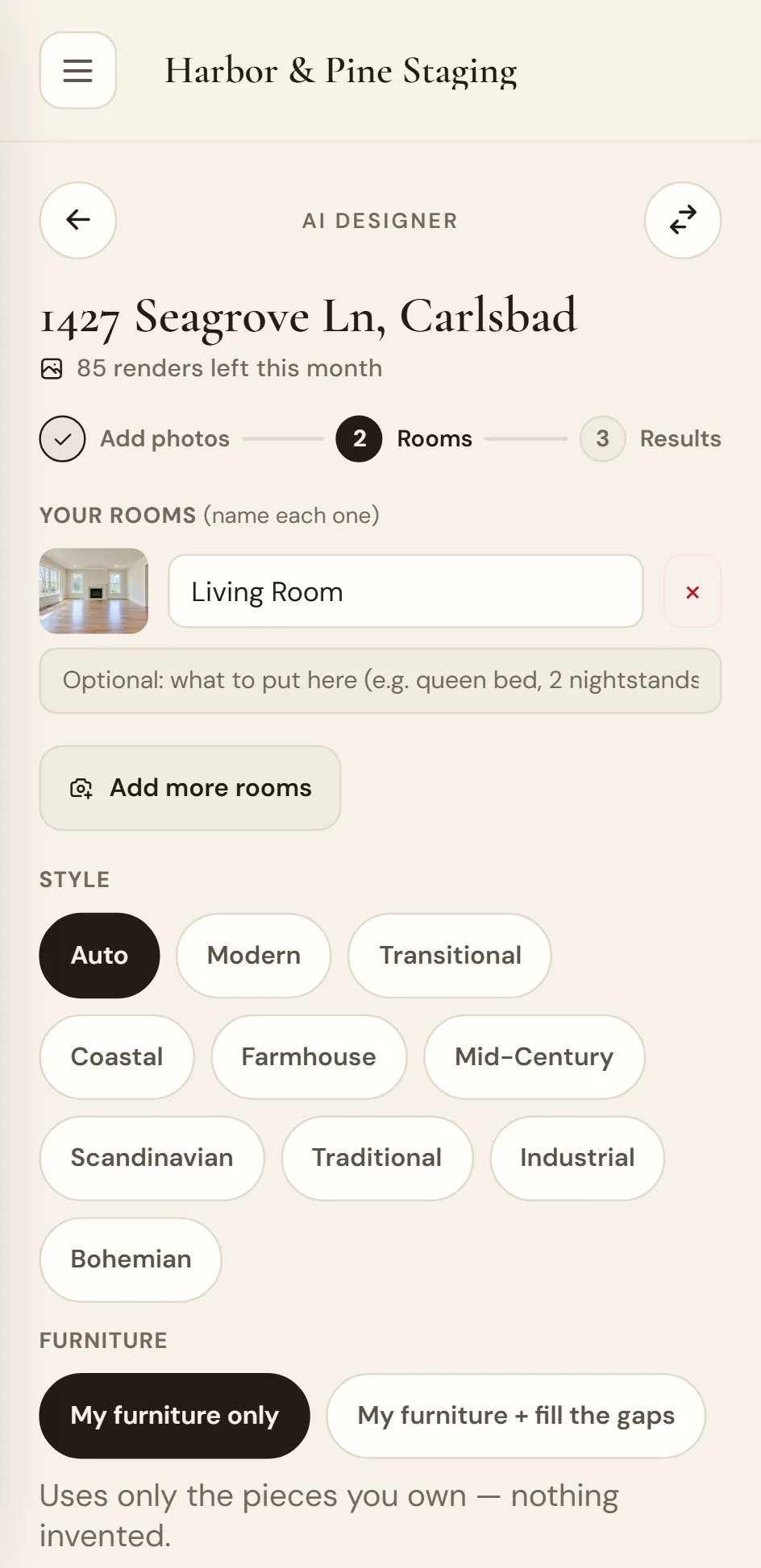
Pick a design direction
Choose from style presets or let it match the room's architecture. The engine pulls from your actual inventory to fill the space — not a generic furniture catalog.
See your furniture in the room
It generates photorealistic renders using pieces from your warehouse. Multiple versions, different arrangements. Pick the one that sells the listing.
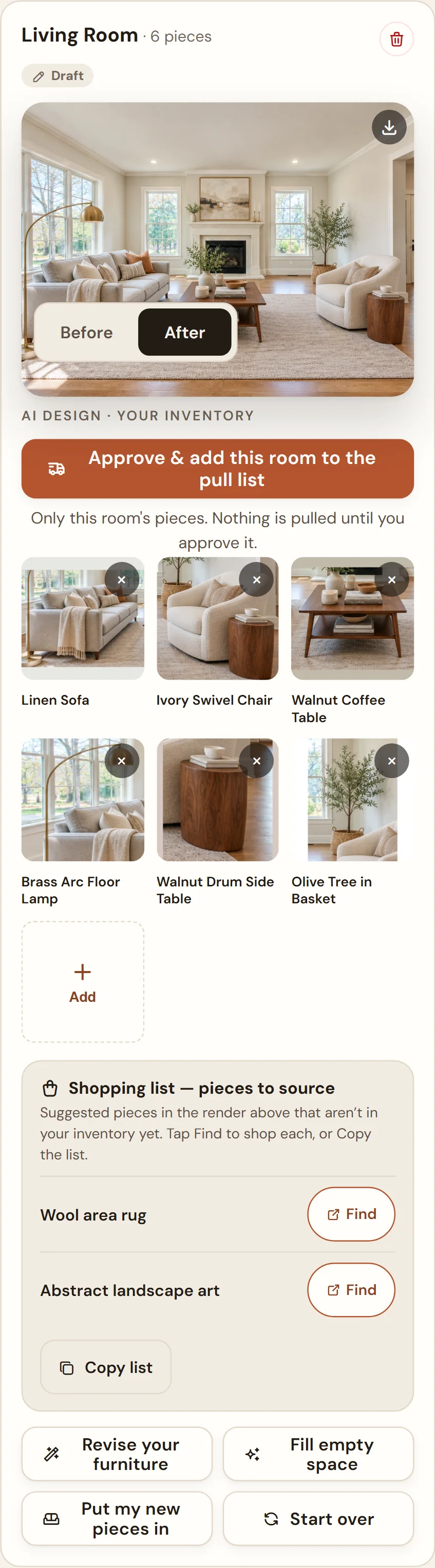
Scroll the screenshot to see the whole plan
Approve and it becomes your pull list
Tap approve and every piece in the render is automatically added to the job’s pull list. Your team knows exactly what to load. The render IS the plan.
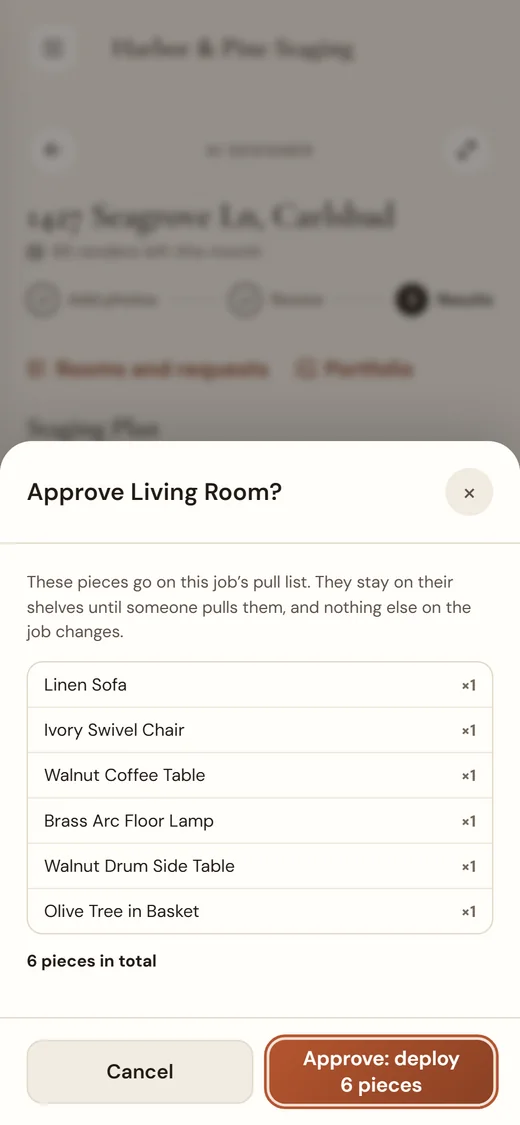
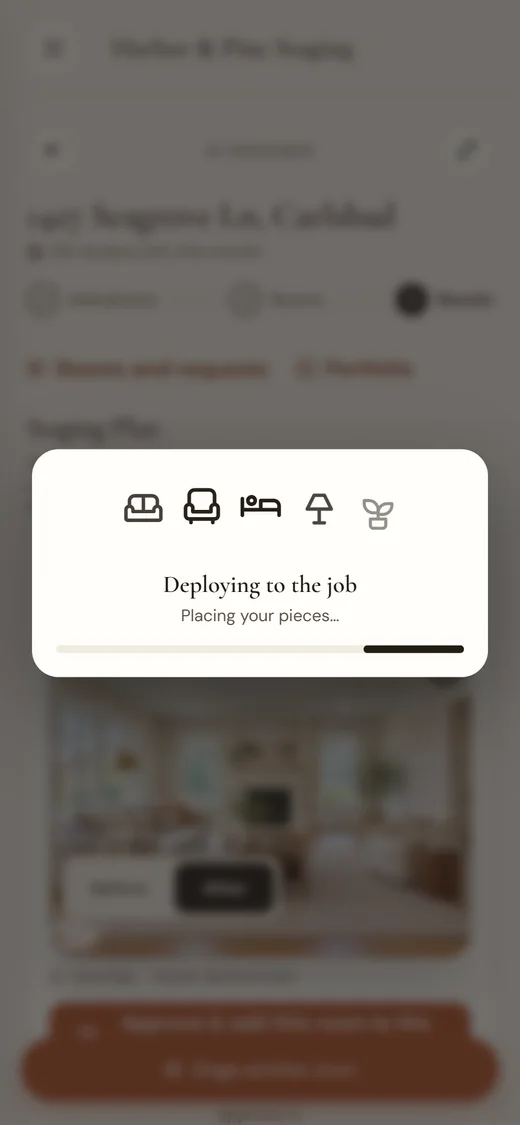
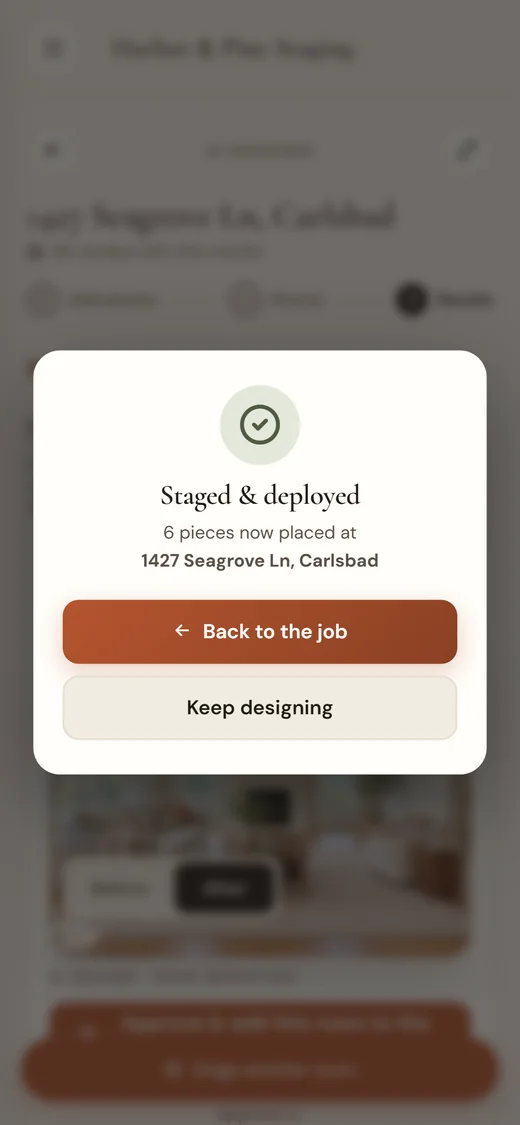
The render is the pull sheet.
Other tools render imaginary rooms. StageEngine renders your next job.
Other tools
- ✕ Render with stock furniture
- ✕ Client approves a fantasy
- ✕ Show up with different pieces
- ✕ Explain the mismatch
- ✕ Lose trust
StageEngine™
- ✓ Render with your actual inventory
- ✓ Client approves what they'll get
- ✓ Show up with exactly those pieces
- ✓ Install matches the render
- ✓ Build trust every time
99 renders a month, included.
Studio Pro includes 99 room renders a month, shared across your studio. Use them for client presentations, marketing content, or design exploration. They're yours.
Stop rendering furniture you don't own.
Try the engine free for 14 days. Your inventory. Your renders. Your business.
Try the engine free — 14 days, no card